AI-Native FinOps Is Coming for Your Cloud Bill: Here's What Actually Works Today
Thirty percent of cloud spend is wasted. That's the number you'll hear from every FinOps report, every analyst briefing, every vendor pitch deck. And it's been roughly the same number for five years running.
What's changed is the denominator. Global cloud spending crossed a trillion dollars in 2026. Thirty percent of a trillion is $300 billion. That's not a rounding error. That's the GDP of a mid-sized country being set on fire every year because someone left a dev cluster running over the weekend, or because nobody right-sized the production VMs after the migration, or because the tagging strategy was "we'll get to it."
I've been auditing cloud environments for nearly a decade: government agencies, financial institutions, mid-market SaaS companies. The pattern is always the same: the team knows they're overspending, they've tried a dashboard or two, and they're hoping the next tool will fix it. Now the pitch is AI. Autonomous agents that watch your cloud bill and fix it while you sleep. And honestly, some of what's coming is genuinely interesting. But most of what's being sold today is a chatbot bolted onto the same dashboard you were already ignoring.
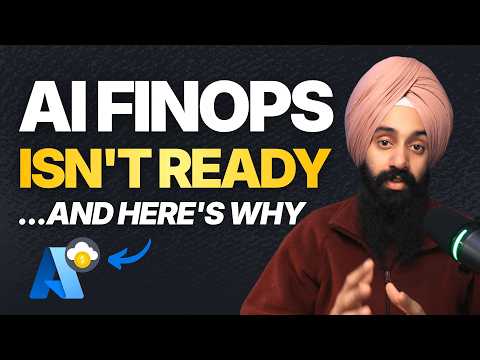
I made a video breaking this down on YouTube. This post goes deeper on the technical side, with CLI commands you can run today and the governance framework most teams are missing.
The Four Phases of Cloud Cost Management
Here's how I frame FinOps maturity when I'm talking to clients. Four phases, and most organizations are stuck somewhere between phase one and two while thinking they're at three.
Phase 1: Spreadsheets and prayers. Someone downloads the billing CSV once a month, opens Excel, and tries to figure out why the number went up. This is where most small teams start, and some never leave.
Phase 2: Tooling and dashboards. You've set up Cost Management in Azure or Cost Explorer in AWS. You have dashboards. You might even have budget alerts. The data exists, but nobody acts on it consistently because the recommendations are generic and the team has other priorities.
Phase 3: AI-assisted recommendations. This is where things get interesting. AI reads your usage patterns and tells you what to do: right-size this instance, buy this savings plan, shut down this idle resource. A human still makes the decision and clicks the button. Azure Copilot and Amazon Q Developer live here.
Phase 4: Autonomous agents. AI identifies the optimization, validates it against guardrails, executes the change, and rolls back if something breaks. Almost nobody is actually here yet, despite what the marketing says.
The honest assessment: the industry is selling phase four while most organizations haven't finished phase two. And the gap between "AI recommends a change" and "AI safely executes a change" is where all the hard problems live.
What AI-Assisted FinOps Actually Looks Like Today
Let's talk about what you can actually use right now, because there's real value in the phase-three tools even if they're not the autonomous agents the vendors are promising.
Azure: Cost Management + Copilot
Azure Copilot for Cost Management is free with your Azure subscription and it's genuinely useful for the "tell me what's going on" use case. You ask questions in natural language and it pulls from your actual Cost Management data.
The kinds of questions that actually work:
- "Summarize my costs for the last 6 months"
- "What are the top services contributing to my cost?"
- "How can we reduce our costs?"
- "What was our virtual machine spending last month?"
It will surface Azure Advisor recommendations, identify idle resources, and suggest right-sizing opportunities. For OpenAI deployments specifically, it can even estimate cost changes if you scale usage up or switch models.
From the CLI side, you can pull cost data and recommendations programmatically:
# Get cost summary for the current billing period
az costmanagement query \
  --type ActualCost \
  --scope "subscriptions/`<subscription-id>`" \
  --timeframe MonthToDate \
  --dataset-aggregation '{"totalCost":{"name":"Cost","function":"Sum"}}' \
  --dataset-grouping name="ServiceName" type="Dimension" \
  --output table

# Pull Azure Advisor cost recommendations
az advisor recommendation list \
  --category cost \
  --output table
Pro tip: Azure Advisor cost recommendations are free and always-on. If you haven't looked at them in the last 30 days, go do that before buying any third-party tool. I've seen Advisor alone identify $15-40K in monthly savings in mid-sized environments.
AWS: Cost Optimization Hub + Amazon Q Developer
AWS Cost Optimization Hub consolidates over 18 types of cost optimization recommendations across all accounts and regions: EC2 rightsizing, Graviton migration, idle resource detection, Savings Plans opportunities, and more. Amazon Q Developer sits on top and lets you query it conversationally.
Some useful queries:
- "What are my top cost optimization opportunities?"
- "Which EC2 instances are over-provisioned?"
- "Why did my costs increase last week?"
- "How much would it cost to store 1 PB in S3 in us-west-2?"
The CLI equivalent for pulling recommendations:
# List cost optimization recommendations (requires Cost Optimization Hub opt-in)
aws cost-optimization-hub list-recommendations \
  --filter '{"restartNeeded":[false]}' \
  --order-by '{"dimension":"ESTIMATED_MONTHLY_SAVINGS","sortOrder":"DESC"}' \
  --max-results 10

# Get rightsizing recommendations from Compute Optimizer
aws compute-optimizer get-ec2-instance-recommendations \
  --filters name=Finding,values=OVER_PROVISIONED \
  --output table
One catch: Amazon Q Developer's free tier gives you 25 cost-related questions per account per month. After that, you need a Q Developer Pro subscription. Cost Optimization Hub itself requires a 24-hour opt-in period before recommendations appear.
Gotcha: Both Azure Copilot and Amazon Q Developer need existing data to work with. If you haven't enabled Cost Explorer (AWS) or haven't been using Cost Management (Azure), the AI has nothing to analyze. There's no magic. It's reading the same data you could read, just faster.
Third-Party Tools
The third-party ecosystem has evolved beyond basic dashboards. Here's what's worth knowing about:
Spot by NetApp. Machine learning for spot instance management. It automatically shifts workloads between spot, reserved, and on-demand instances based on availability and pricing. If you're running anything on Kubernetes or ECS, this can cut compute costs by 60-90% on non-critical workloads. The catch: it requires trusting an external service with your infrastructure scaling decisions.
Kubecost. Open-source Kubernetes cost visibility. If you're running K8s and you don't know which namespace is burning money, start here. It won't optimize anything automatically, but it shows you where the money is going at the pod and deployment level. That visibility alone is worth the install.
CloudHealth (Broadcom). Enterprise-grade, multi-cloud. Strong governance and policy engine for large organizations managing hybrid environments. Not cheap, but if you're running 500+ VMs across Azure and AWS, the chargeback and showback capabilities justify themselves.
The Honest Assessment: Dashboards with a Chatbot
All right, here's where I'm going to be direct about something the industry doesn't want to hear.
Most of what's being marketed as "AI-native FinOps" in 2026 is a natural language interface over the same recommendations that have existed for years. Azure Advisor has been telling you to right-size your VMs since 2019. AWS Trusted Advisor has been flagging idle resources since before FinOps was even a term.
What's new is that you can ask the question in English instead of clicking through a dashboard. That's legitimately helpful. It lowers the barrier to entry and makes cost data accessible to people who aren't FinOps specialists. A VP of Engineering can now ask "why did our cloud bill spike last week?" and get an answer without filing a ticket.
But it doesn't fundamentally change the problem. The recommendations are still generic. The AI doesn't know that your "idle" VM is a disaster recovery standby. It doesn't know that the oversized database handles month-end batch processing. It doesn't know your compliance team requires 90-day retention on those logs it's recommending you delete.
The gap between "AI identifies a savings opportunity" and "AI safely acts on that opportunity" is where the real complexity lives. And that gap has a name.
The Guardrails Problem
This is the section that matters. Everything before it was context. This is the actual hard problem.
When I talk to teams about autonomous cost optimization, the conversation always hits the same wall: who defines what's safe to change, and what happens when the AI gets it wrong?
Blast Radius Controls
An AI agent right-sizes a production database on a Saturday morning. Monday comes, and the month-end batch job that only runs on the 1st can't complete because the database no longer has enough compute. The savings recommendation was technically correct. The database was oversized 29 days out of 30. But the blast radius of that change took out a critical business process.
This is why you need blast radius policies before you let any AI make infrastructure changes:
# Azure Policy: Deny changes to resources tagged as critical outside maintenance windows
# Save as policy-deny-critical-changes.json
cat <<'EOF'
{
  "if": {
    "allOf": [
      {
        "field": "tags['criticality']",
        "equals": "high"
      },
      {
        "field": "tags['maintenance-window']",
        "exists": "true"
      }
    ]
  },
  "then": {
    "effect": "deny"
  }
}
EOF
Warning: This is a simplified example. Production blast radius policies need to account for maintenance windows, change management integration, and emergency override procedures. The point is that the policy infrastructure must exist before the AI agents arrive.
Context AI Can't See
Here's a partial list of things I've seen AI cost tools recommend that would have caused outages if someone hadn't intervened:
- Shut down "idle" VMs that were DR standbys waiting for a failover trigger
- Right-size a database that handles quarterly reporting loads 4 days a year
- Delete "unused" storage accounts containing compliance archives with legal hold
- Terminate "orphaned" NICs that were pre-staged for an upcoming migration
- Downsize a VM that runs fine at 10% CPU but needs the memory for in-memory caching
Every one of these looked correct in the cost data. Every one would have caused a production incident. The AI didn't have the business context. It only had the telemetry.
Approval Workflows and Rollback
If you're going to let AI agents make changes, you need two things that most organizations don't have:
-
Tiered approval based on blast radius. A $50/month savings from right-sizing a dev VM? Auto-approve. A $5,000/month savings from resizing a production database? Human review. This isn't complicated in theory, but it requires that you've actually classified your resources by criticality, which brings us back to tagging.
-
Automated rollback. If the AI right-sizes a VM and response times spike within 30 minutes, can it automatically revert? If the answer is "no" or "we'd have to do it manually," you're not ready for autonomous optimization.
What to Do About It
The advice is different depending on whether you're a practitioner managing resources or a leader building a FinOps practice.
If You're a Practitioner
Start with the free tools. Azure Advisor and AWS Cost Optimization Hub are free. Run them today. I'm serious. If you haven't looked at your Advisor recommendations this month, stop reading this and go do it.
# Set up a budget alert in Azure (takes 2 minutes)
az consumption budget create \
  --budget-name "monthly-cloud-budget" \
  --amount 5000 \
  --time-grain Monthly \
  --start-date 2026-04-01 \
  --end-date 2027-04-01 \
  --category Cost \
  --resource-group-filter rg-production

# AWS: Create a budget with email notification
aws budgets create-budget \
  --account-id `<account-id>` \
  --budget '{
    "BudgetName": "monthly-cloud-budget",
    "BudgetLimit": {"Amount": "5000", "Unit": "USD"},
    "TimeUnit": "MONTHLY",
    "BudgetType": "COST"
  }' \
  --notifications-with-subscribers '[{
    "Notification": {
      "NotificationType": "ACTUAL",
      "ComparisonOperator": "GREATER_THAN",
      "Threshold": 80
    },
    "Subscribers": [{"SubscriptionType": "EMAIL", "Address": "team@example.com"}]
  }]'
Tag everything. I keep saying this because I keep seeing environments where 40% of resources have no cost-allocation tags. AI can't optimize what it can't categorize. At minimum, tag every resource with environment, team, project, and criticality. If your environment has managed identity mistakes or billing surprises, tagging is how you start tracking the pattern.
Use the AI query tools for investigation, not automation. Azure Copilot and Amazon Q Developer are excellent at answering "what happened?" and "where should I look?" Use them for that. Don't trust them to answer "what should I change?" without validating the recommendation against business context.
If You're a Leader
Build the governance layer before buying AI tools. This means: tagging policies enforced at deployment time, resource classification by criticality, defined maintenance windows, and a change management process that AI agents can plug into. Without this foundation, AI just accelerates chaos.
# Azure Policy: Require cost-allocation tags on all resources
az policy assignment create \
  --name "require-cost-tags" \
  --policy "require-tag-and-its-value" \
  --params '{"tagName": {"value": "cost-center"}, "tagValue": {"value": ""}}' \
  --scope "/subscriptions/`<subscription-id>`" \
  --enforcement-mode Default
Define blast radius policies. Classify every workload as critical, standard, or development. Critical workloads get human-in-the-loop for any change. Standard workloads can have AI-recommended changes auto-approved under a dollar threshold. Dev/test environments? Let the AI go wild. That's where you'll see the fastest ROI anyway.
Start with human-in-the-loop. The path to autonomous FinOps goes through supervised FinOps. Let AI recommend changes. Have a human approve them. Track the accuracy of recommendations over 90 days. If the AI is right 95% of the time and the 5% it's wrong about are all caught by your blast radius policies, then you can start automating the low-risk changes.
The Biggest Mistake: AI Without Governance
Here's the number one mistake I see, and I see it constantly: organizations buy an AI-powered FinOps tool and point it at an environment with no tagging strategy, no resource classification, and no governance framework.
It's like putting autopilot on a car with no lane markings. The technology might be brilliant, but it has no context for what "staying on the road" means.
Organizations with consistent tagging report 40% better cost allocation compared to those with fragmented metadata. That's not because tagging is magic. It's because tagging is the data layer that everything else depends on. AI-powered optimization. Chargeback. Anomaly detection. Blast radius classification. All of it starts with knowing what a resource is, who owns it, and how critical it is.
If you take one thing from this entire post, let it be this: get your tagging and governance right first. Then layer on the AI. The savings will be larger, the automation will be safer, and you'll actually be able to trust the recommendations.
Getting an honest read on where you actually stand is the awkward part, because the gaps sit across tagging, RBAC and idle resources at once, and nothing in the portal shows them in one place. That is the gap I built Unsave to close: seven waste detectors and a FinOps score sitting alongside the security and identity ones, right-sizing worked out from a 14-day metric window. It is read-only OAuth with no agents to install, and free for individual tenants, so you can see your score in under a minute and decide from there.
I wrote about the real costs of Azure that nobody talks about a year ago. The fundamentals haven't changed. What's changed is that AI makes the consequences of bad governance faster and more expensive.
The Bigger Lesson
FinOps maturity isn't about tool sophistication. It's about organizational discipline.
The organizations I've seen get the most out of AI-assisted cost optimization aren't the ones with the fanciest tools. They're the ones that did the boring work first: consistent tagging, clear ownership, defined criticality levels, established change management. When they added AI on top of that foundation, the AI had context. It could make recommendations that actually made sense. And when they eventually moved to automated optimization, the guardrails were already in place.
The organizations that skip the boring work and go straight to "let AI manage our costs" end up with a different outcome. The AI finds real savings, applies them without context, and something breaks. The team loses trust in automation, reverts everything, and goes back to spreadsheets. I've seen this cycle three times in the last year alone.
AI is going to transform FinOps. The autonomous agents are coming, and when the guardrail frameworks mature, they'll be genuinely valuable. But the prerequisite hasn't changed: you have to know what you have, who owns it, and what's safe to change. No amount of AI sophistication compensates for missing metadata.
Get the foundation right. Then let the machines help.